Still hunting through folders and forum tabs?
Find ECU references in one searchable library, then keep your own notes with the diagram.
A reference you can return to. Get ECU Guide
FOR INDEPENDENT SHOPS & HANDS-ON OWNERS
Scattered files. Hard-to-read logs. The same research, every job. Bring your references, vehicle data and workshop records into one organized workspace.
One workspace for your shop or your own build.
AI assistance included — see availability & usage
The reference. The run. The record.
One place to connect the dots.
SOUND FAMILIAR?
The friction often starts before you touch a calibration: finding the right information, understanding the run and keeping track of what happened.
Find ECU references in one searchable library, then keep your own notes with the diagram.
A reference you can return to.Explore channels, targets and flagged events. Check data quality before deciding what to investigate.
Turn the run into something readable.Link captures and revisions to the vehicle. Compare two logs across matching operating ranges.
Keep the comparison in context.Record the complaint, tests, evidence and next steps. Export a report carrying your shop’s identity.
Show the work behind the next step.ECU GUIDE / PRODUCT WALKTHROUGH
See how the reference, the run and the work order come together. Watch the full tour or jump straight to the feature you need.
Meet ECU Guide. One focused workspace for your next ECU project. Start in your garage. Keep vehicle details, ECU information, and service history together. Upload a vehicle log, confirm the channels and units, and inspect what the run actually recorded. Explore interactive charts, measured values, targets, and flagged events, with clear explanations of data quality. Compare two logs across matching operating ranges to see where measurements changed. Search connection references, find diagrams, and keep notes for the job. Organize customers and work orders, then export clear reports with your shop's identity. Explore independent tools and step-by-step tutorials, so you know what to do next. Optional AI assistance can help explain your analysis when configured. Built for shops and hands-on owners, ECU Guide brings your references, logs, and workflow together. Get ECU Guide for fifty-nine dollars with a one-time payment. Create your account, then continue to checkout to complete your purchase.
Product tour with synthetic demonstration data and a preview of the account flow. Check the account page for current access details. Optional AI explanations require configuration.
EXPLORE WHAT YOU GET
Search the real reference library, explore the sample log and see the garage and tutorials below.
Keep vehicle details and capture history together. Link customers and work orders, add photos and export a report with your workshop’s identity.
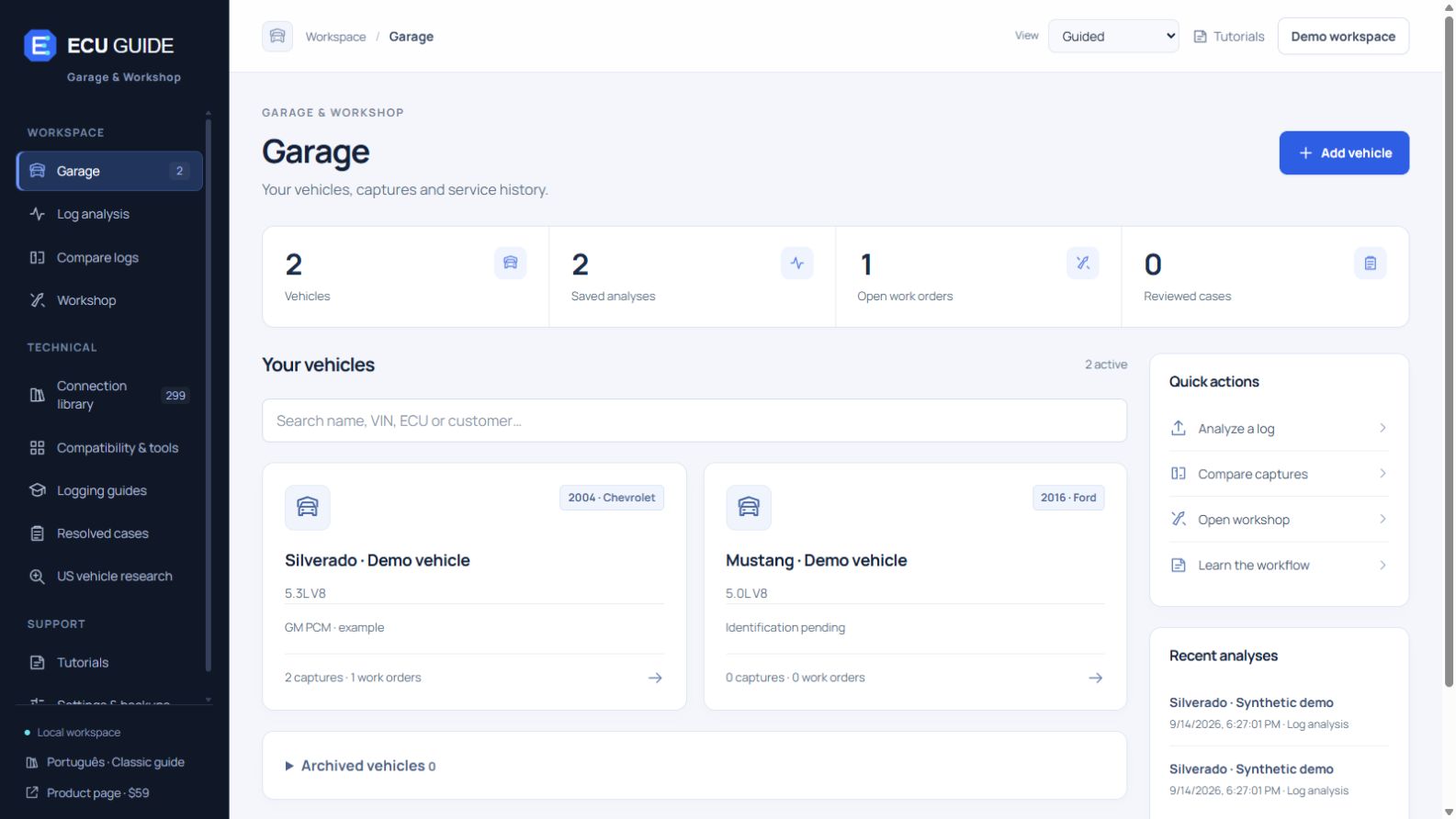
Actual ECU Guide interface · Fictional vehicles and records used for demonstration.
Follow 19 tutorials in English or Portuguese. Find the steps for your current screen, open the right function and track your progress.
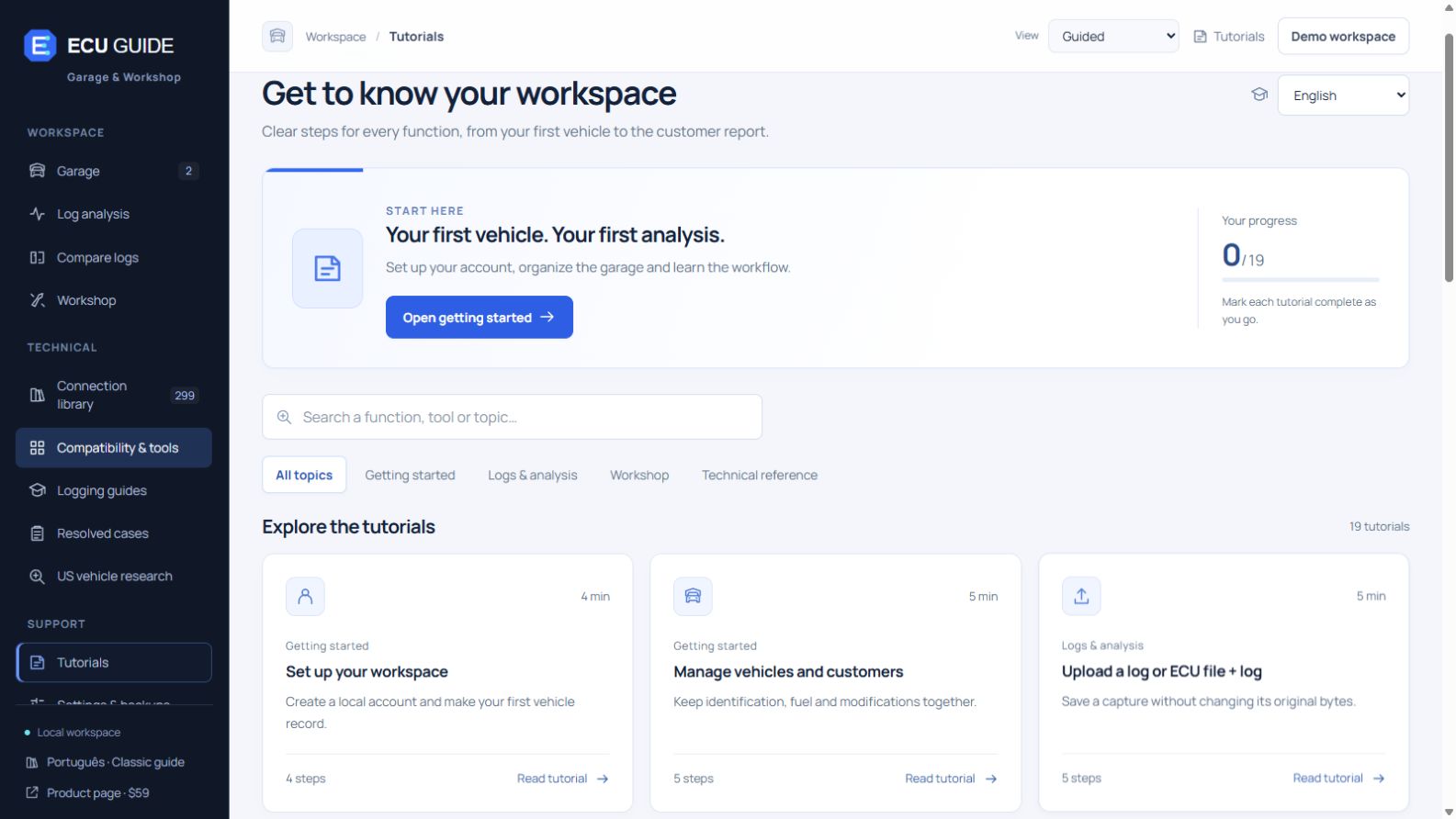
Actual ECU Guide interface · Tutorials explain the product’s current capabilities.
Selected public samples. Full library access opens with the product.

This page contains a text reference. Open it in the full guide.
See channel statistics and compare measured values with their targets.
Illustrative data. The analyzer reports measurements and flags items to investigate; a flagged event is not a confirmed diagnosis or a validated calibration change.
Explore independent projects, their intended applications, and their compatibility requirements.
Read, write, and log supported GM PCMs.
Exact PCM & hardware compatibility requiredGM calibration editing and definitions.
Match the operating system and fileEditor and datalogger for supported ROMs.
Subaru focus · Exact definitions requiredDiagnostic communication and development.
CAN · UDS · DoIP · LINThese projects are independently available from their authors. ECU Guide provides a curated directory; hardware and third-party licenses are separate.
Explore all 8 programs ↗THE DETAILS THAT MAKE IT A WORKSPACE
Your preparation, your evidence and what you learned belong with the job.
START WITH A PLAN
Use symptom-based collection checklists, logger profiles and 19 step-by-step product tutorials. Keep the steps for the next capture close at hand.
Explore logging guides ↗KEEP WHAT YOU LEARN
Document the evidence, tests, confirmed cause and outcome of a resolved case. Your next similar job can start with your own previous work.
Explore resolved cases ↗U.S. VEHICLE CONTEXT
Decode a VIN and look up model recall campaigns through NHTSA sources. Check exact vehicle applicability at the source. An internet connection is required.
Explore vehicle research ↗TAKE YOUR RECORDS WITH YOU
Download reports and portable backups of your records, captures and photos. Restore a validated backup into an empty workspace.
Explore reports & backups ↗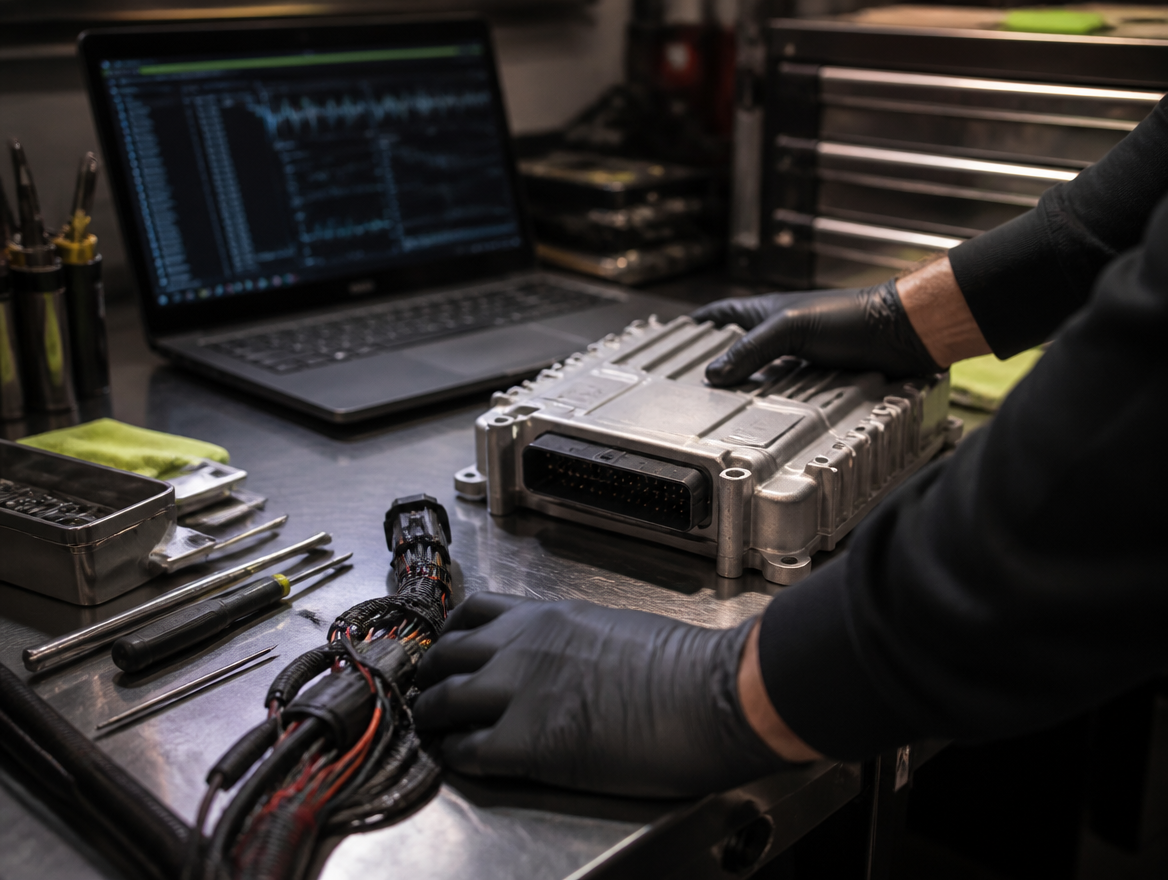
A WORKFLOW YOU CAN REPEAT
Create the vehicle, record its ECU details and find the relevant connection reference. Keep notes for that exact job.
Upload your log, confirm channels and units, inspect the charts and review flagged events. Compare a second capture when you have matching data.
Save tests and evidence in the work order. Export a clear report and return to the vehicle’s history when the next run arrives.
MORE CONTEXT FOR YOUR NEXT QUESTION
Example question you can ask about an analysis. No generated answer is being shown.
AI ASSISTANCE IS BUILT IN
Use optional AI assistance to ask for explanations of your analysis, put flagged events in context and identify missing evidence to investigate.
Log analysis, charts and comparisons work without AI. AI explanations require a configured service; provider usage is billed separately in this offer. The $59 purchase includes the feature, not unlimited AI credits.
SAME WORKSPACE. YOUR WAY OF WORKING.
Give each vehicle and work order a history. Keep the customer’s concern, your tests and the next steps together, then share a report with your shop’s identity.
Keep your original files and runs organized. Learn the workflow step by step and compare recorded data as your project evolves.
Built with U.S. workflows in mind. Explore GM and Subaru projects in the tool directory and NHTSA vehicle research. Coverage depends on the exact ECU, software and log format. Search the library before you buy ↗
ONE WORKSPACE. ONE PURCHASE.
Give your next ECU project a place for the references, the runs, the evidence and the next steps. Explore the full ECU Guide workspace with the US$59 one-time offer. See the included features and continue to the account page for access details.
Get the whole workflow.
Reference, inspect, compare, document and learn.
Use it your way.
For your own garage or independent workshop.
Keep the work useful.
Export reports and back up your project records.
FULL WORKSPACETHE ECU GUIDE OFFER · ONE-TIME PRICE
No recurring ECU Guide subscription.
Your references, vehicle history, captured data and next steps — organized around the same project.
Review account and access details in the next step.
BEFORE YOU GET STARTED
Clear capabilities. Clear requirements. Choose the workspace with the right expectations.
The ECU Guide workspace brings together the connection library, file and log inspection, comparisons, garage, customers, work orders, reports, tutorials, tool directory, case history, U.S. vehicle research and backup tools. The offer is $59 as a one-time ECU Guide price. Review current access details on the account page. Hardware and licenses for independent programs are separate.
Both independent shops and hands-on owners can use the workspace. Guided views and tutorials explain the controls, channel mapping and workflow. You still need to confirm your logger’s units, match the exact ECU and understand the limits of your measurements. The software does not replace vehicle-specific training or testing.
Yes. You can inspect a supported CSV/TSV log on its own, or submit an original ECU file together with the log. Confirm the channel mapping and units before analysis. The quality of the findings depends on what your sensors and logger actually recorded.
It helps you inspect recorded values, differences from available targets, flagged events and missing evidence. AI explanations can help you interpret that analysis when configured. Findings are starting points for investigation, not proof of a cause.
The AI assistance feature is part of the workspace. In this offer it requires a configured AI service, and provider usage is billed separately. The $59 purchase does not automatically fund API credits or provide unlimited AI calls. Log statistics, charts and comparisons work without AI.
Check the exact ECU, processor, software version, log format and independent tool requirements. The tool directory includes GM and Subaru projects, but coverage varies by vehicle and software. A brand name in the library does not mean every U.S. model is supported. Use the searchable preview before choosing the product.
No. Reading or flashing a physical ECU requires a compatible external application, interface and vehicle-specific process. The tool directory explains where to research independent projects; those projects remain available from their authors under their own licenses.
Yes. Record the complaint, tests, findings, work performed and next steps in a work order. Add photos and your workshop details, then export the report as a standalone HTML file or use the browser’s print function to save a PDF.
You’ll see the account page with the current access details. Review that information before creating your account or signing in.
The Garage & Workshop interface is in English. The 19 product tutorials are available in English and Portuguese. Original reference documents retain their source language.
Your account and workspace records are saved on the server hosting ECU Guide, outside the public website folder. Passwords are stored as hashes. The repeated email and password fields check for typing mistakes; no verification email is sent in this edition.
The account page explains the information collected and asks for the relevant permissions before you submit your details. You can manage optional analytics and advertising measurement through Privacy choices. Optional AI requests send the question and analysis context to the configured provider after consent; ECU binaries and raw logs are not included automatically. Contact the seller to request account removal.
YOUR NEXT PROJECT DESERVES A CLEARER START.
References, logs and workshop records. Ready to come together.